

Launch in Context configuration for Med Access
Complete the following steps to configure Launch in Context (LIC) in Med Access EMR using your eHR Viewer credentials.
1
Sign into Med Access.
2
Open a patient chart.
3
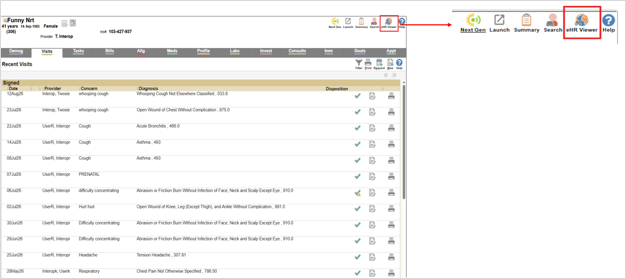
Right-click the eHR Viewer icon located in the top right corner of the chart.
4
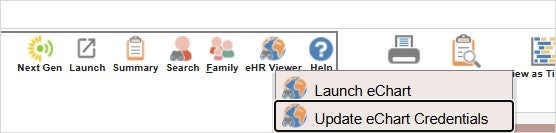
Select Update eChart credentials to open the External credentials screen.
5
Enter your eHR Viewer username in the Username field.
6
Enter your eHR Viewer password in the Password field.